How to Build a Pagination Blog Structure for Client Sites
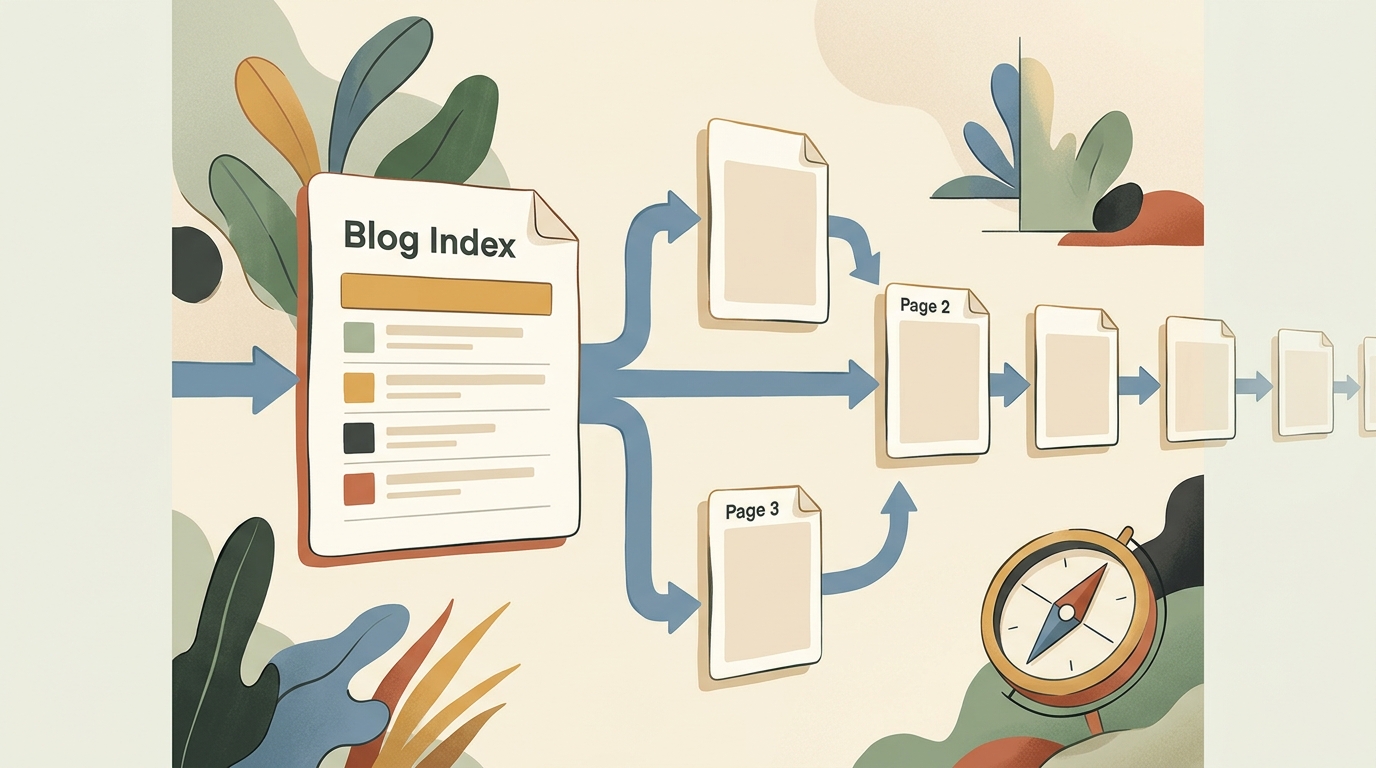
A pagination blog structure divides a large content archive into a logical sequence of linked pages, allowing search crawlers and users to access older articles without degrading page speed. For marketing agencies managing expanding client publications, implementing standard pagination ensures search engines index deep archives while preserving server performance and user navigation paths.
What Is a Pagination Blog Architecture and How Does It Function
A pagination blog architecture breaks continuous lists of articles into discrete, sequential pages such as /blog/page/2/ or /blog/?page=2. Instead of pulling hundreds of database records into a single page request, the server queries a specified subset of posts per page.
According to Online Marketing Gurus, pagination splits content across multiple pages to enhance navigation and scalability across category and blog archives. When a user or search engine bot requests a specific page in the sequence, the content management system executes a database query with specific limit and offset values. For example, if a blog displays 10 posts per page, requesting page three retrieves posts 21 through 30.
This division protects web performance. As highlighted by Akkomplish, pagination allows the browser to download website data in smaller payloads instead of retrieving an entire database at once. Smaller payloads lower document object model (DOM) depth, reduce memory usage on mobile devices, and maintain fast First Contentful Paint (FCP) times.
Core Technical Reasons Pagination Directly Impacts Search Engine Crawling
Search engines do not discover deep blog posts through XML sitemaps alone; they rely heavily on internal links to determine page priority, crawl frequency, and context. A broken or inefficient pagination structure creates crawl bottlenecks that leave older client content undiscovered.

Crawl Depth and Click Distance
Crawl depth refers to the number of clicks required to reach a specific URL starting from the homepage. If an agency website publishes 300 articles with 10 articles per page, a simple sequential pagination setup (Next/Previous only) forces a crawler to traverse 30 individual pages to reach the earliest posts. Search bots allocate limited crawl budgets to individual sites. Articles buried dozens of clicks deep receive low crawl priority and risk dropping out of the search index during routine crawls.
Distribution of Internal Link Equity
The root blog page (/blog/) usually accumulates the highest amount of external and internal link equity within a publication. Pagination acts as the conduit distributing that PageRank down to older articles. When pagination contains direct numbered links to intermediary pages (such as pages 1, 2, 3, 4, 5, 10, 20), link equity flows much further into the archive with fewer hops than a linear system allows. Conducting a technical site audit to map these click paths is an essential step when planning how to improve SEO for client libraries.
Prevention of Orphaned Articles
When pagination scripts rely entirely on client-side JavaScript events without static fallback links, search bots often fail to execute the navigation script. As a result, older articles become orphaned: they exist on the server, but have zero internal links pointing to them. Search engines eventually devalue or de-index orphaned URLs because no active pathway signals their relevance.
Technical Implementation Standards for Canonical Tags and URL Parameters
Configuring technical tags improperly across a paginated series causes duplicate content issues or accidentally removes the entire series from search engine indexes.
Self-Referential Canonical Tags
Every paginated URL in a blog series must contain a self-referential canonical tag. Pointing the canonical tag of page two, three, or four back to page one is an incorrect configuration that instructs search engines to ignore all content on subsequent pages.
Correct: The URL
https://example.com/blog/page/2/contains<link rel="canonical" href="https://example.com/blog/page/2/" />.Incorrect: The URL
https://example.com/blog/page/2/contains<link rel="canonical" href="https://example.com/blog/" />.
When canonical tags incorrectly consolidate to page one, search engines view page two as a duplicate of the first page. This leads the crawler to ignore the unique post links contained on deeper pages, preventing new articles from receiving link equity.
URL Structure and Parameter Standards
Agencies can choose between clean subdirectories or URL query parameters. Both formats work effectively when structured consistently. For instance, the U.S. Bureau of Economic Analysis uses clean query parameters like ?page=1 to organize its working paper archives clearly for researchers and automated bots.
Follow these rules when formatting URLs for paginated archives:
Keep page one canonical: Ensure the primary archive URL does not duplicate itself. If
/blog/is the main page, do not create a separate indexable duplicate at/blog/page/1/or/blog/?page=1. Redirect those parameter variants back to the root blog URL with a 301 status code.Avoid mixing sorting parameters with pagination: If users can filter by date, tag, or author, maintain a predictable parameter sequence (such as
/blog/category/seo/?sort=recent&page=2) to prevent infinite parameter combinations.Use relative or absolute internal links consistently: Ensure the internal links in the pagination markup match the canonical URL structure exactly, including trailing slashes.
HTML Anchor Links Versus JavaScript Triggers
Search bots require standard HTML anchor tags with explicit href attributes to discover deeper pages. Do not use <span onclick="..."> or <button> elements to trigger pagination updates without providing an accessible fallback link.
<!-- Correct crawlable implementation -->
<a href="/blog/page/2/">2</a>

<!-- Incorrect uncrawlable implementation -->
<span onclick="loadPage(2)">2</span>
Structural Trade-offs Between Numbered Pagination and Infinite Scroll
Agencies often debate whether traditional numbered pagination, infinite scroll, or "Load More" buttons provide the best balance of user experience and crawl efficiency. As research by Lumar demonstrates, comparing site setups against search-friendly criteria reveals substantial performance differences among pagination styles.

Pagination Method | Crawl Efficiency | Link Equity Distribution | Mobile User Experience | Implementation Complexity |
|---|---|---|---|---|
Numbered Pagination | High | High | Moderate | Low |
Infinite Scroll with History API | Moderate | Moderate | High | High |
Load More Buttons | Low (unless backed by static links) | Low | High | Moderate |
Numbered Pagination
Numbered pagination displays explicit links to specific pages in the sequence (e.g., "1, 2, 3 ... 10, Next"). This model offers the highest crawl efficiency because search bots can jump across multiple pages in a single crawl step. Its main drawback is higher interaction friction on mobile devices, where users must tap small link targets to load the next set of cards.
Infinite Scroll with HTML5 History API
Infinite scroll continuously fetches and appends the next batch of posts as the user scrolls down the page. While this offers seamless browsing on mobile devices, pure infinite scroll breaks search engine crawling if no static URLs exist behind the scenes. To make infinite scroll search-friendly, developers must integrate the HTML5 History API (pushState and replaceState) so that scrolling down updates the browser URL address bar to the corresponding paginated URL while rendering standard HTML fallback links in the DOM.
Load More Buttons
A "Load More" button requires users to tap an interface element to append the next set of articles via an AJAX request. This prevents unwanted content fetching on mobile connections and preserves footer accessibility. However, like infinite scroll, search crawlers do not click buttons. Unless paired with static <a href="..."> tags pointing to direct archive URLs, a "Load More" interface completely blocks search engines from discovering older posts.
Actionable Pagination Checklist for Managing Large Client Content Libraries
When auditing or deploying a client blog, use this technical checklist to ensure the pagination structure supports crawlability and user navigation as you scale content marketing volume.
Inspect Rendered DOM Anchor Links: Open the client blog in developer tools. Verify that all pagination buttons, previous/next controls, and page numbers are wrapped in genuine
<a href="...">HTML tags rather than JavaScript event listeners.Verify Canonical and Robots Directives: Inspect the source code of page two and deeper subpages. Ensure each page features an
index, followrobots meta tag (or no robots restriction at all) and a self-referential canonical tag matching its exact URL.Audit XML Sitemaps: Confirm that paginated subpages (such as
/blog/page/2/) are excluded from XML sitemaps. Sitemaps should contain only primary canonical content URLs and the main blog root, keeping the sitemap file lean.Review Server Log Files: Check server access logs to confirm that search engine crawlers successfully make HTTP 200 requests to paginated subpages and follow them to individual blog articles. Look out for 404 or 500 errors occurring on high-numbered pagination paths.
Test Internal Anchor Jumping: Ensure numbered links include jumps to deeper ranges (such as linking to the final page and intervals of five or ten) so bots do not have to crawl hundreds of linear steps to reach foundational content.
Key Implementation Summary
Keep the root blog page clean: redirect
/blog/page/1/back to/blog/.Use self-referential canonical tags across all deeper pages.
Never set paginated archive pages to
noindex, as search engines will eventually stop following internal links on pages marked with noindex directives.Ensure all pagination controls use crawlable HTML anchor tags containing valid URLs.
Managing ongoing technical optimization, keyword research, and high-frequency publishing takes substantial agency resources. Ascend fully automates content creation, generating search-optimized articles with internal links and metadata to keep client blogs consistently active.
Written by
Ascend
Ascend is an automated SEO engine for WordPress. It handles keyword research, writes high-quality, search-optimized content, and publishes it directly to your site, so your traffic can grow on autopilot. Learn more